top of page

Need Audacity training?
How to create audio files in Audacity
Trim audio
The steps to trim audio in Audacity are:
Step 1
Record audio.

Step 2
Use the Selection tool to select the section of audio that you want to remove.
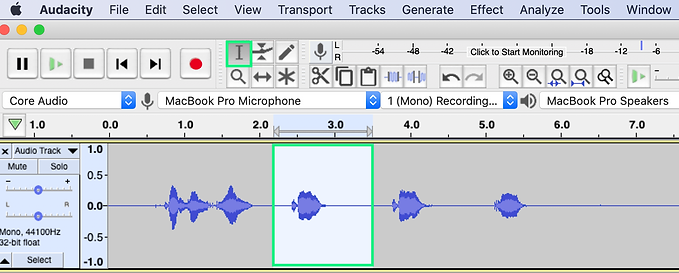
Step 3
Select Cut.

Step 4
The selected part of the audio is deleted.

Listen to sample of audio before it is trimmed.
Record1
00:00 / 00:07
Listen to sample of audio after it is trimmed.
Trim
00:00 / 00:06
bottom of page